Install it
83 MB, no admin rights needed. It puts AQUALOG in your Start menu and on the desktop. First launch pulls the speech model down once (about 130 MB) — after that it never needs the internet again.
REEF TELEMETRY SYSTEM · WINDOWS · v0.2 BETA
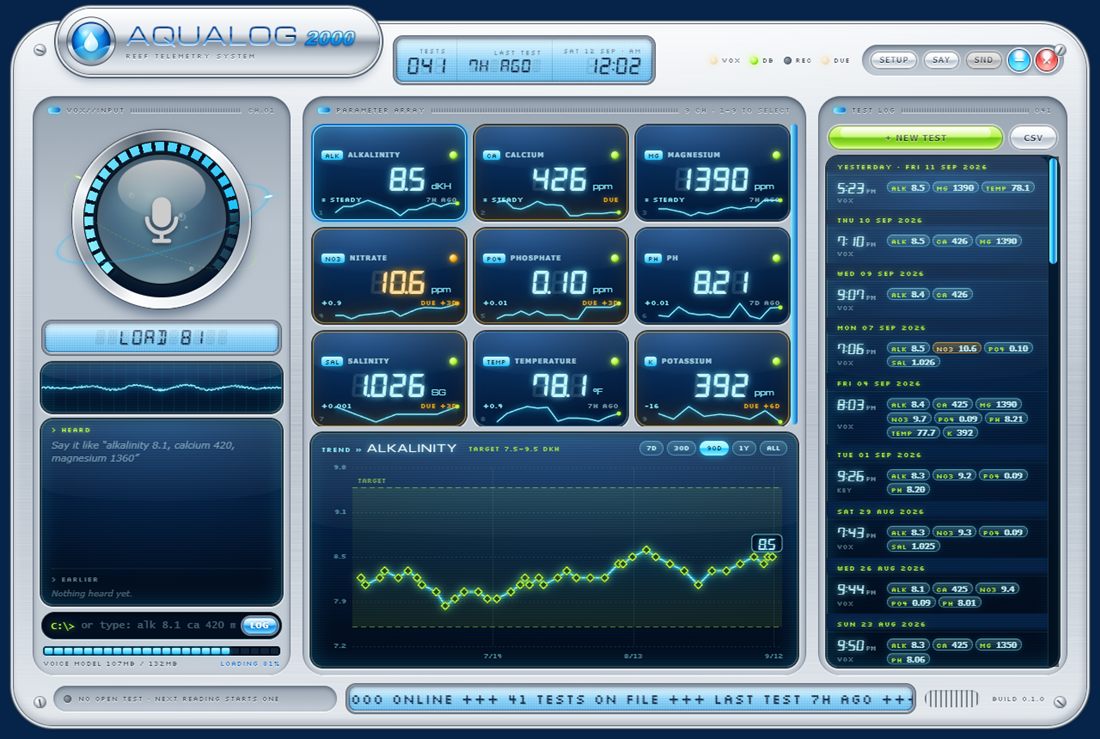
Say “alkalinity 8.1, calcium 420, magnesium 1360” and it’s logged — one test, three parameters, no typing with wet hands.
A desktop log for reef tanks: offline voice entry, your own target zones, test reminders, trends and CSV export. Readings live in a file on your PC, not in a cloud.
Windows 10 / 11 · signs in with a free LiteLinks account
83 MB, no admin rights needed. It puts AQUALOG in your Start menu and on the desktop. First launch pulls the speech model down once (about 130 MB) — after that it never needs the internet again.
Click the orb or hold space and talk: “alk 8.1, calcium 420, magnesium thirteen sixty”. It understands digits or words, shorthand or full names, and stops listening when you do.
One test lands in the log with every value attached, and the app says it back so you can keep your hands in the tank. Wrong? Say “scratch that”.
Speech recognition runs on your own machine, so it works with the router off and nothing gets uploaded. No API keys, no subscription, no microphone data leaving the house.
Say alk now, calcium when that kit finishes — readings within 20 minutes join the same test instead of scattering across your log.
Set the green zone per parameter. Switch on nitrite, ammonia, iodine, strontium, ORP, silicate, copper or TDS — or add your own and the voice parser learns it.
Test alk every two days, magnesium weekly. Overdue tiles turn amber, and you can just ask “what’s due?” and get an answer out loud.
Every parameter gets a sparkline and a chart with its target band — 7 days out to everything. Export the lot to CSV whenever you want it elsewhere.
Your tank history is a plain JSON file on your PC. The app never phones home, and this site only knows the email you hand it.
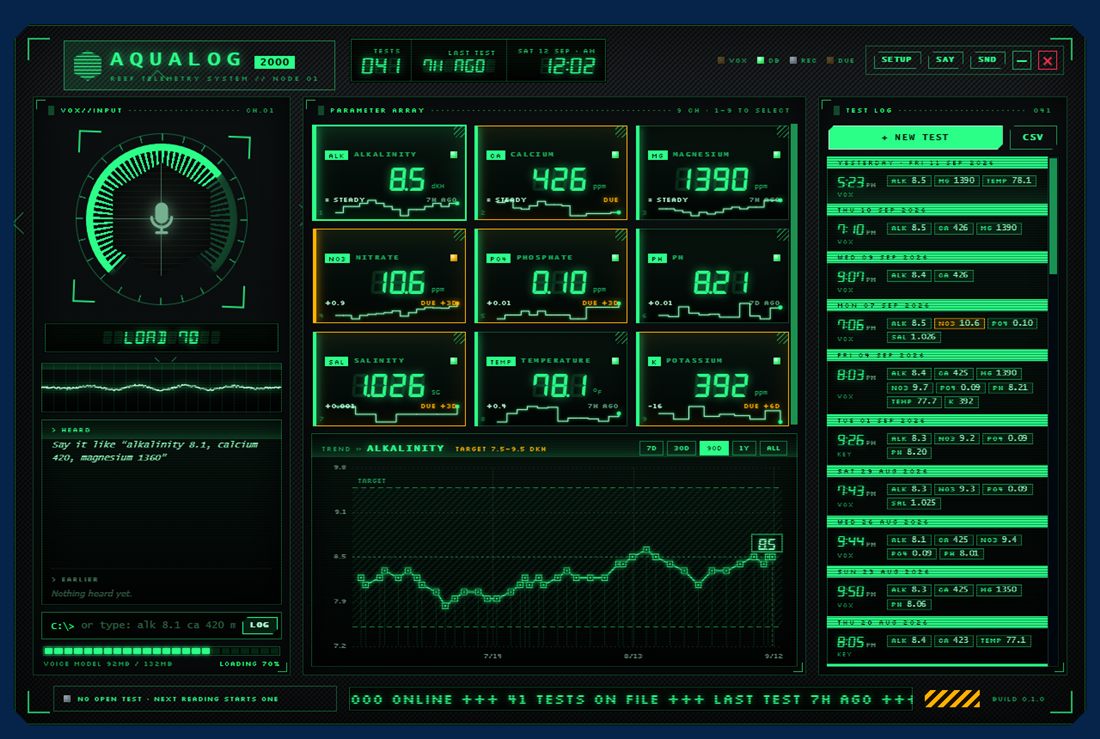
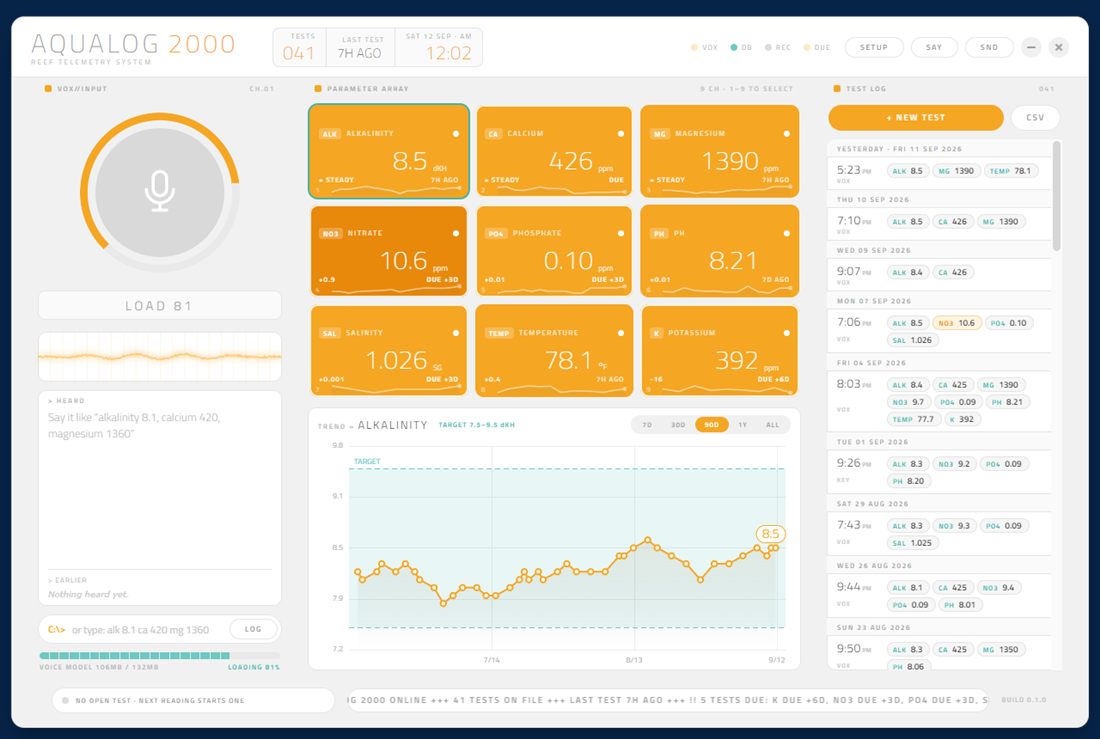
Same layout, completely different machines. Switch any time in setup.
GET THE BUILD
Sign in with a free LiteLinks account and the installer starts. Beta builds are free and always will be for anyone on this list.
DOWNLOAD FOR WINDOWS v0.2.0 · 84 MB · Windows 10 / 11%APPDATA%\AQUALOG 2000. Uninstalling leaves it alone.No. Readings are written to a JSON file on your PC and nothing uploads them. The app has no account and no sync. The only thing this website ever stores is an email address, and only if you type one into the box below.
Only once. The speech model downloads on first launch, then recognition runs entirely on your machine — no cloud service, no API key, no per-use cost. You can pull the network cable afterwards and it still works.
Because the installer isn’t code-signed yet — a certificate costs money and this is a beta. SmartScreen flags anything unsigned it hasn’t seen before. Click More info, then Run anyway. Signing is on the list.
Yes, with a little setup. The nine default parameters lean reef, but every target is editable and you can switch on nitrite, ammonia and others, or add your own with any name and unit. The voice parser picks up whatever you add.
Yes, and free during the beta means free. It needs a LiteLinks account to download, which is also free. If it ever gains a paid tier, everyone already on the beta list keeps what they have.
Every entry shows what it heard and what it parsed before it sticks, and there's an undo on the toast. Say “scratch that” and the last test disappears. You can also type readings into the command line or punch them in by hand.
STAY POSTED
One email per release — what changed, and the link. Tell me what you run and it shapes what gets built next: dosing maths, ICP imports, whatever your tank actually needs.